
Live power telemetry
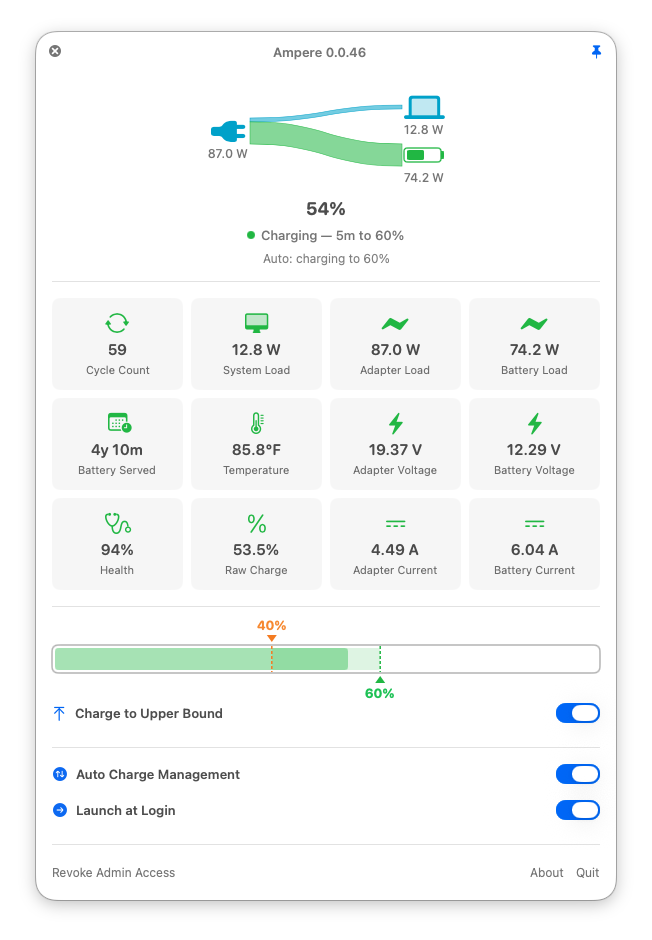
Adapter, battery, and system wattage. Voltages, currents, temperature, cycles, health, battery age — a dozen readouts, always current.
Ampere lives in your menu bar, watches every watt, and keeps your MacBook’s battery in the healthy zone — so it ages years slower.
brew install --cask az-code-lab/taps/ampere
Charge bounds, live telemetry, and every control, narrated. Sound on.
And every control it wishes you had. All two clicks away, all the time.
Adapter, battery, and system wattage. Voltages, currents, temperature, cycles, health, battery age — a dozen readouts, always current.
Pick a healthy range like 40–60%. Ampere charges at the bottom of it, holds in the middle, and stops at the top. Automatically.
No fragmented top-ups — even across restarts. Between bounds, charging stays off until you ask, so every cycle runs full: lower to upper.
One toggle tops you up to the upper bound. Another actively drains down to it — even with the charger plugged in.
Bounds and in-progress charges resume after a relaunch. If Ampere is ever force-killed, a watchdog restores your Mac’s defaults within seconds.
Update right from the panel. Every download is verified against the Homebrew cask’s SHA-256 and Apple’s code signature before install.
Lithium-ion cells age fastest parked at 100% or drained near empty. Ampere keeps yours cruising in the band you choose — and never wastes a charge cycle getting there.
Ampere touches low-level charge controls, so it’s built to leave no trace. Curious how, exactly? Read the full technical details →
Closing Ampere restores every system default — charging, sleep, everything. Crash or force-kill? A root watchdog daemon cleans up within seconds.
Charge control runs through one tiny root helper in a root-only directory, pinned to its SHA-256 digest in sudoers. A swapped or tampered binary is simply refused.
Health checks continuously verify the hardware state matches what you asked for. If the charge limit drifts, Ampere writes it back, and warns you only when a repair doesn’t hold.
MIT-licensed on GitHub. Read every line that touches your machine — or build it yourself. View the source →
brew install --cask az-code-lab/taps/ampere
or download Ampere.dmg and drag it to Applications. The app and the disk image are both Developer ID signed and notarized.
Ampere installs its charge-control helper with a single password prompt. That’s the last one you’ll see until the helper itself updates.
Turn on auto charge, pick a range, and forget about it. Your battery takes it from here.
Free to download and use for as long as you like, in the default 40 to 60% range. Buying a license unlocks custom charge bounds and supports development.
Keys are delivered to this address and can only be registered with it — double-check it.
Secure checkout by Stripe or PayPal · Apple Pay, Google Pay & cards
CHTE key (macOS 27), that limit is what Ampere holds with, so the hold is overridden for the duration: the status line says so, and once the battery is full it says that macOS lifts the override within about 12 hours (macOS lifts it by the clock, about 12 hours after the charge began, not when the battery fills); the health check reads suspended, and the hold resumes where the charge ends; Discharge to Upper Bound brings the battery back to the bound. See macOS’s calibration charge.brew uninstall ampere. Quitting puts charging and sleep settings back, and two minutes later a small root cleanup job that Ampere registers removes the helper, its sudoers rule, itself, and Ampere’s preferences and caches for every account, so nothing is left behind. If you delete the app while it is still running, the job waits until that copy quits and then does the same. To do it immediately, quit Ampere and run sudo /Library/PrivilegedHelperTools/az-ampere-smc purge.